Locals
Fans who live near your store, like everyone within 10 miles.
- Distance from an address
- Country, region or postal prefix
Reward locals, loyal buyers and the fans who keep missing out. Set aside units for them in pools, and SuperSwipe fills those pools before everyone else in the draw.
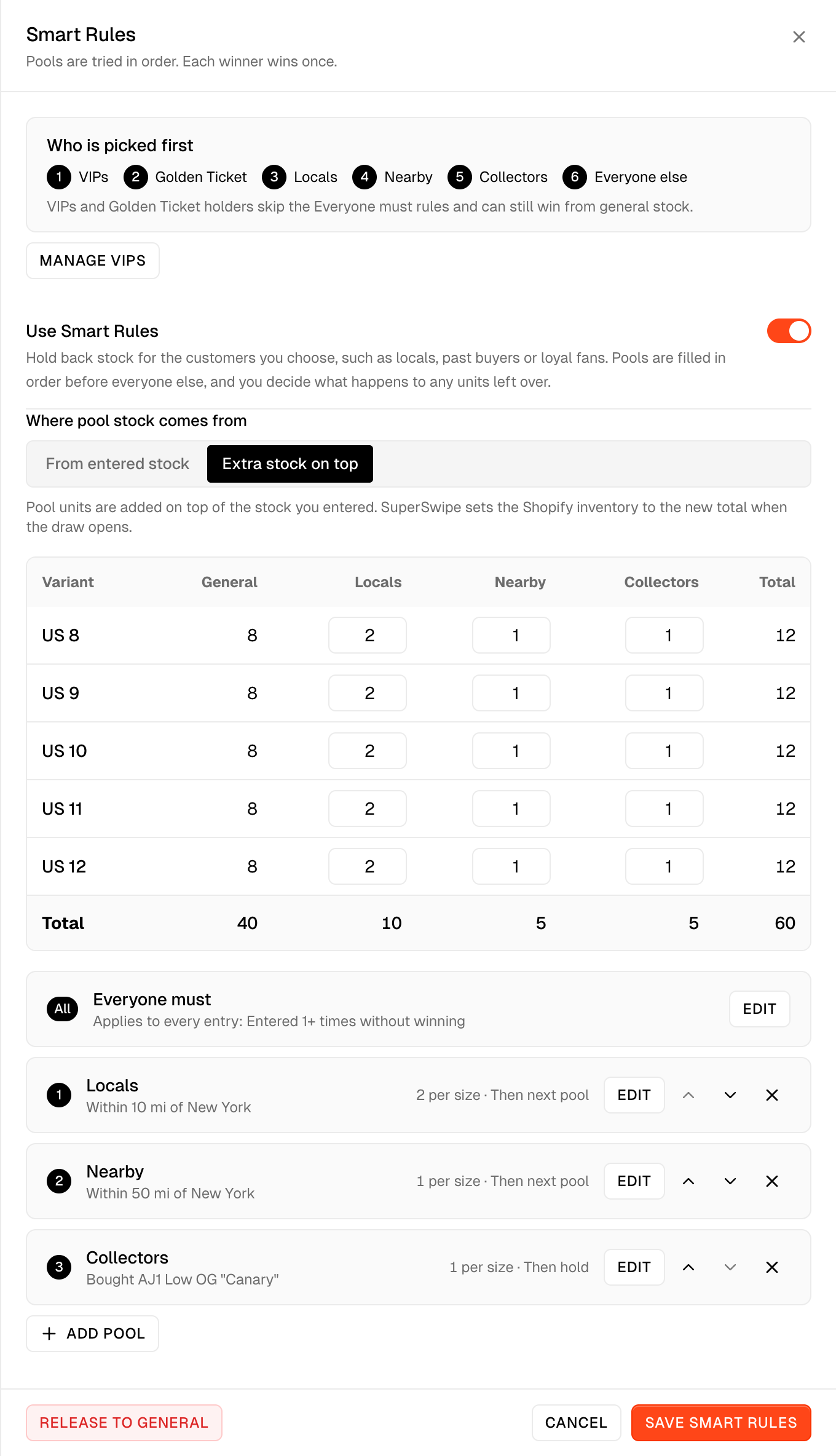
Make a pool for each group you want to reward and give it units per size. Take them from the stock you entered, or add extra stock on top.
VIPs and Golden Ticket holders go first, then your pools in order, then everyone else. Nobody wins twice.
A pool that does not fill can pass its units to the next pool, or hold them until you release them to general. The last pool always holds. While units are held, the draw waits and SuperSwipe emails you.
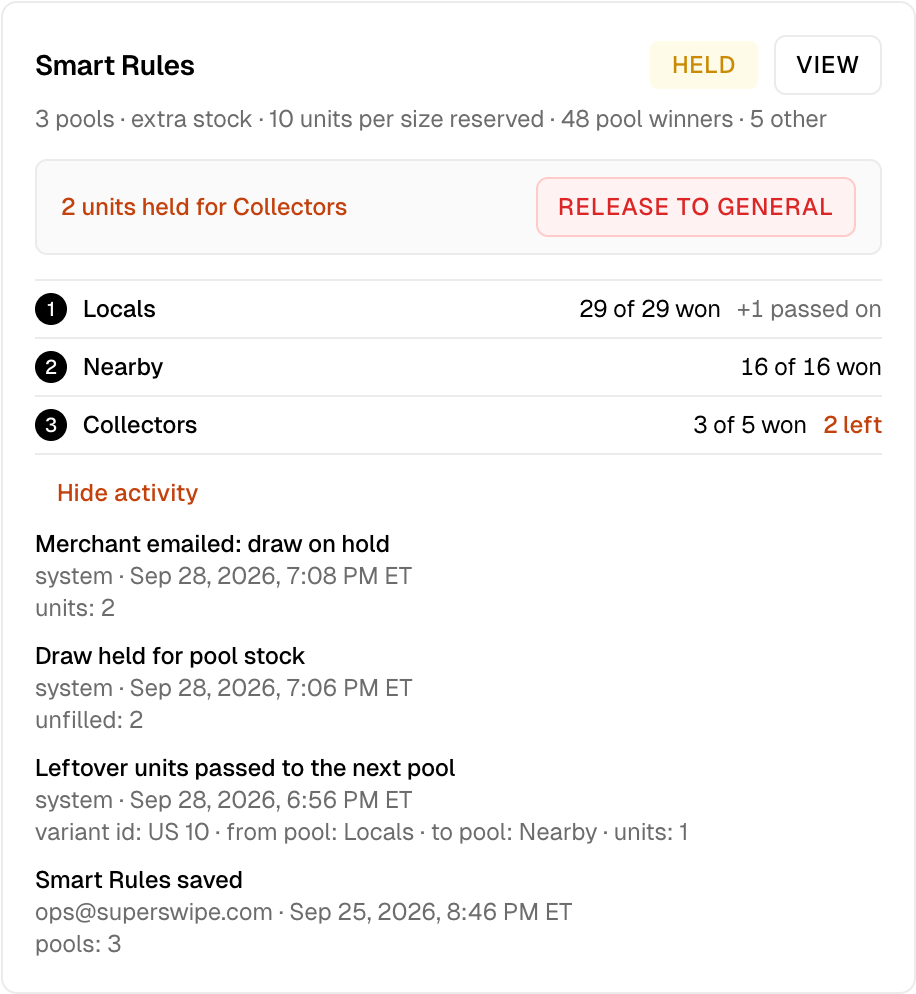
Give each pool its own rules.
Fans who live near your store, like everyone within 10 miles.
Customers who already shop with you, like anyone who spent $250 or more.
Fans of the line you are dropping, like buyers of your last release.
People who keep entering and losing, like anyone who lost 3 draws or more.
Fans on SuperFan, like anyone with the app or a linked X, Instagram or TikTok account.
Customers you tagged or who signed up, like a member tag in Shopify.

Smart Rules are included for every store and work with standard, pay after and in store pickup draws. Turn them on in step 4 of Create release.
